A report can look polished, cite familiar sources, and still leave a manager unsure how much of the work reflects the employee’s own analysis. The practical answer is not to hunt for “AI words.” Use detection tools to find passages worth reviewing, then check the process behind the document. This guide compares six AI content detector tools and shows how to combine them with source checks, version history, and image provenance.
What an AI Detection Tool Actually Measures
If your aim is to check for AI, start by understanding what the score can and cannot tell you. An AI detection tool does not identify authorship like a fingerprint identifies a person. It looks for statistical patterns associated with generated writing. Predictability, sentence variation, phrasing, and other signals can contribute to a score, but each detector uses its own model and threshold.
A result such as “90% AI” does not mean “90% of these words came from a chatbot.” It means the text resembles patterns the detector associates with generated writing.
For managers, the useful question is which tool helps you move from a document-level score to the passages behind it. Clever AI Detector is useful for this first pass because it combines an overall probability result with sentence-level signals. You can detect AI-written text, then review the sections that triggered the result.
False positives still matter, especially in international teams. A 2023 Patterns study found that seven detectors incorrectly classified a large share of TOEFL essays by non-native English speakers. It was not a business benchmark, but it shows why language background can distort detection.
Scores can also move in the opposite direction. An AI humanizer can change tone, sentence structure, and repetitive phrasing, while a grammar tool may make a human draft more regular and polished. If an employee only used a tool to check the grammar, that is not the same as asking AI to produce the report. Your policy should distinguish editing from authorship before you interpret any score.
5 AI Content Detector Tools for Reviewing Reports
No single tool fits every workflow. Managers trying to detect AI in writing need different evidence from a quick browser check than from a formal compliance review. These five options cover both.
| Tool | Best for | Useful output | Best fit |
| Clever AI Detector | Quick first pass | Sentence-level signals | Manual checks |
| Pangram | Low false-positive risk | AI/human score | High-stakes review |
| Originality.ai | Content teams | AI + plagiarism | Volume workflows |
| GPTZero | Writing process | Sentence-level analysis | Authorship context |
| Copyleaks3 | Enterprise compliance | AI detection + integrations | API workflows |
Clever AI Detector: free sentence-level checks with no sign-up
If a manager has one report open and wants to know which paragraphs deserve attention, Clever AI Detector is a simple place to start. It works without sign-up, accepts 80 to 10,000 words, and returns an overall AI probability with sentence-level signals.
For ad hoc reviews, paste the report, click Check for AI, then inspect the passages behind the result.
The catch: it is a manual review tool rather than a batch auditing platform. Companies scanning hundreds of documents or automating checks through an API will need an enterprise product.
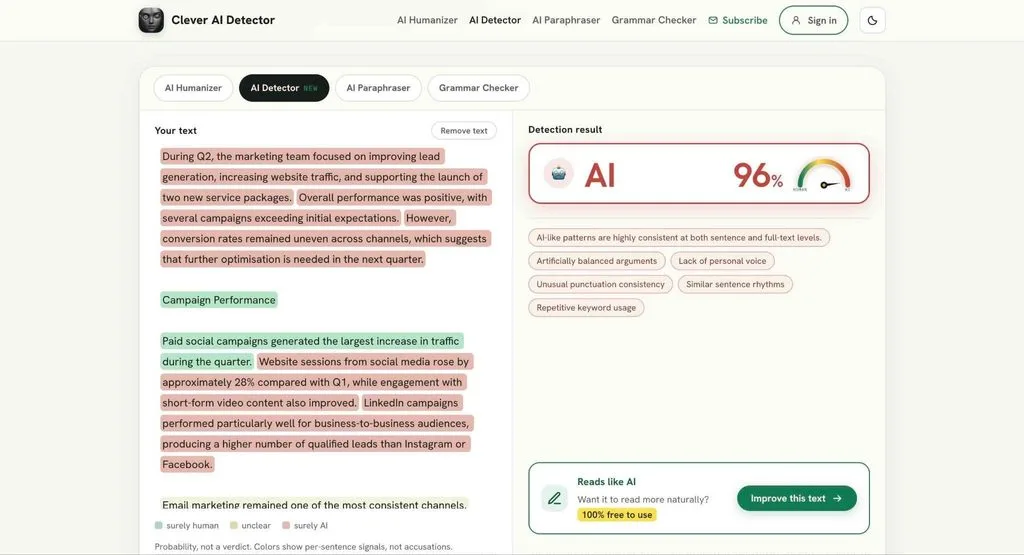
An employee report checked with Clever AI Detector, with sentence-level signals showing which passages deserve a closer review.
Pangram: the lowest false-positive rate available
Pangram is worth considering when falsely flagging human work would carry a high cost. A 2025 Chicago Booth study found that Pangram produced almost no false positives across most thresholds and scored highly at separating AI text from human text.
The catch: even a strong benchmark does not turn a score into proof. Real reports often mix human writing, templates, and AI edits.
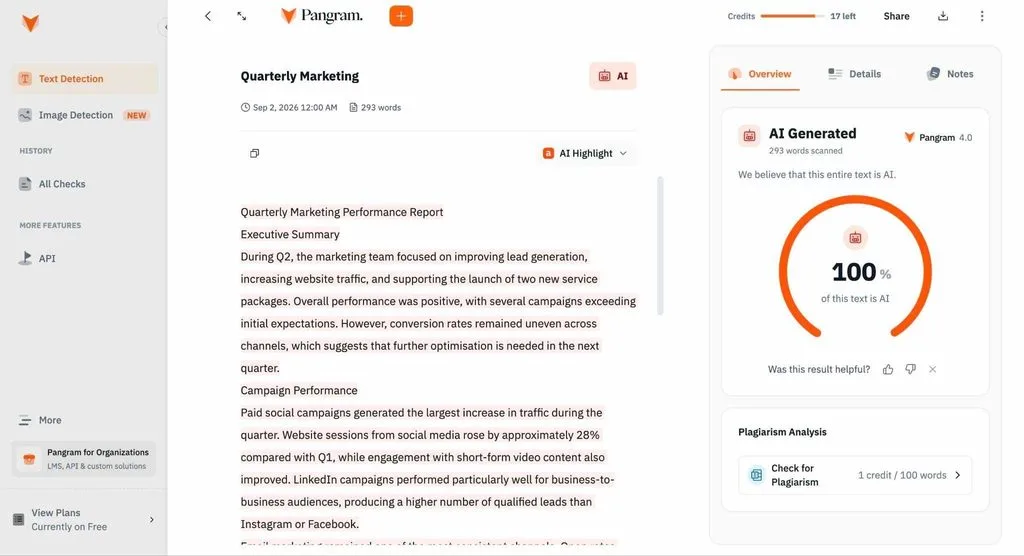
Pangram’s AI detection result for the same employee report.
Originality.ai: built for teams checking volume
Originality.ai combines AI detection, plagiarism checking, team features, and API access. It fits agencies and companies reviewing large volumes of copy.
The catch: do not turn a scaled review into a pass/fail rule. Borderline or consequential cases still need human review.
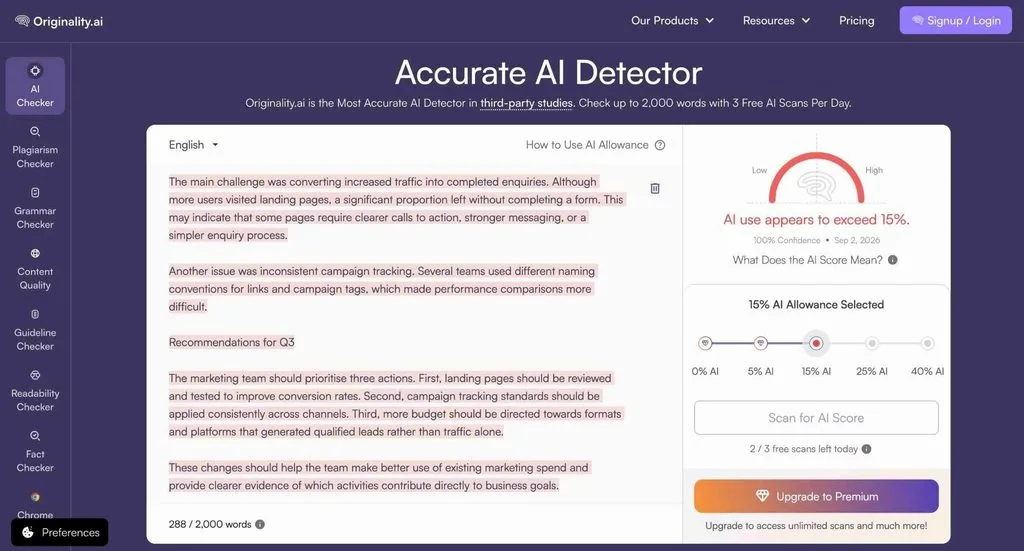
Originality.ai combines document-level scoring with flagged passages for closer review.
GPTZero: sentence highlights and proof of process
GPTZero offers document-level and sentence-level analysis, plus features that add context about how writing was produced.
The catch: process evidence only works when the document was created inside a supported workflow. Employees often draft across several apps.
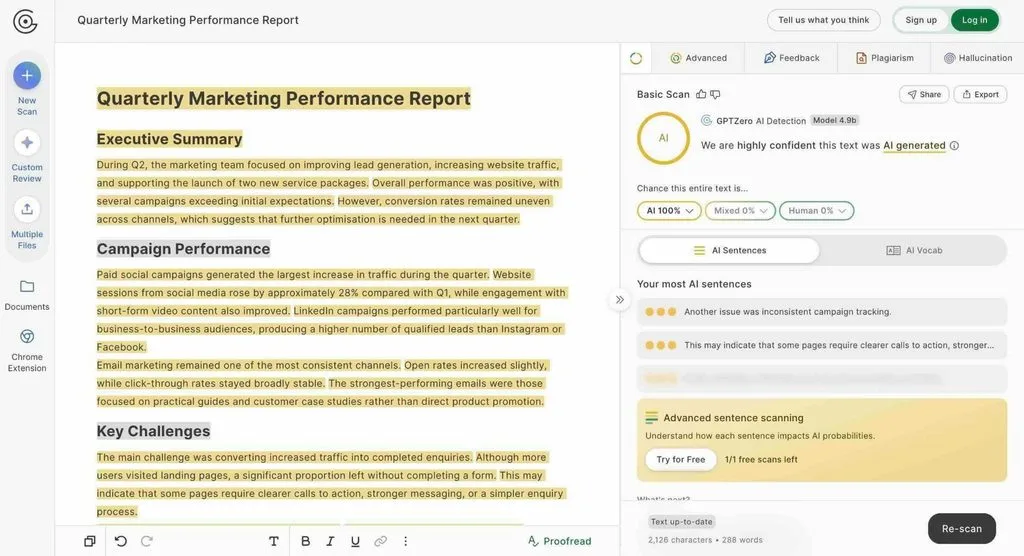
GPTZero highlights passages that contribute to its overall AI detection result.
Copyleaks: checks that go past text
Copyleaks covers text, images, video and source code on one platform, with SOC 2 and ISO 27001 certification. If your reports carry generated charts or your engineers submit code, this AI detection tool handles all of it.
The catch: the setup is heavier than a simple detector and may be unnecessary for teams checking only a few reports.
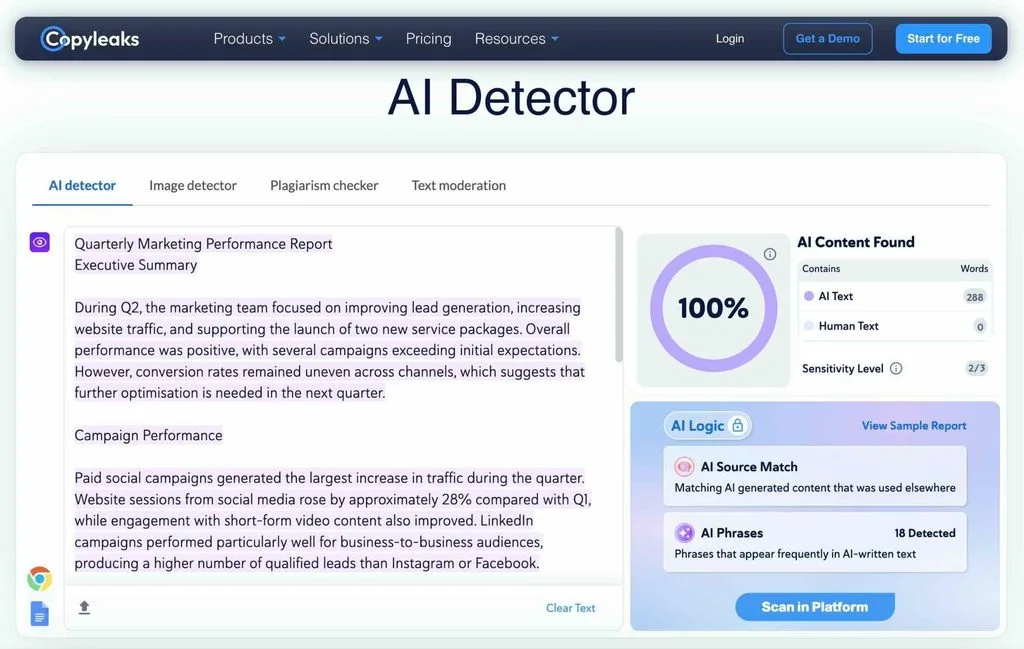
Copyleaks provides highlighted text and additional AI Logic signals behind its detection result.
Sometimes, you do not need another tool. A careful read can still reveal useful signals: generic conclusions, unsupported claims, sudden changes in tone, repeated sentence patterns, or recommendations that do not reflect the company’s actual context. None of these proves AI use, but they can tell you which sections deserve a closer check.
How to Detect AI Text in a Report: A Five-Step Review
The order of the review matters more than the brand of detector. A fair workflow starts with policy and uses the score as triage, not as a verdict.
- Step 1. Set the policy before you run a check. Define allowed uses, from grammar editing to full drafting, what must be disclosed, and what data must never be uploaded to external tools.
- Step 2. Run a first-pass AI check. For a quick review, use an AI content detector such as Clever AI Detector to identify sections worth reading closely. Use a second detector only when the result could affect a serious decision or conflicts with other evidence.
- Step 3. Read the flagged sentences, not just the percentage. If you want to detect AI writing, the passage-level result is more useful than a single document score. Look for generic recommendations, unsupported claims, abrupt changes in specificity, or passages that do not match the rest of the report.
- Step 4. Verify facts, sources, and numbers. In 2025, Deloitte agreed to refund part of the fee for an Australian government report after errors including nonexistent references and a fabricated court quotation were identified. Trace important statistics to the source, recalculate key figures, and confirm that citations support the claim.
- Step 5. Ask the writer to explain the work. Keep the questions neutral: Which sources did you rely on? How did you calculate this figure? Why this recommendation? Which parts were drafted or revised with AI? Someone who understands the analysis should be able to explain it.
The Evidence an AI Writing Detector Can’t Give You
A detector analyzes the finished text. It knows nothing about how that text came to exist, and process evidence is usually stronger. Three free places to look when you need to detect AI writing beyond a score.
Version history in Google Docs and Word
Version history shows process. A document that develops through outlines, edits, comments, and revisions gives you different evidence from a finished block that appears at once.
In Google Docs, open the File menu, select Version history, then choose See version history. A document that grew through two hundred small edits across two weeks looks nothing like one where 900 polished words appeared at a single timestamp.
The catch: a pasted block is not proof of AI use. The employee may have drafted in Notion, another document, or an internal system.
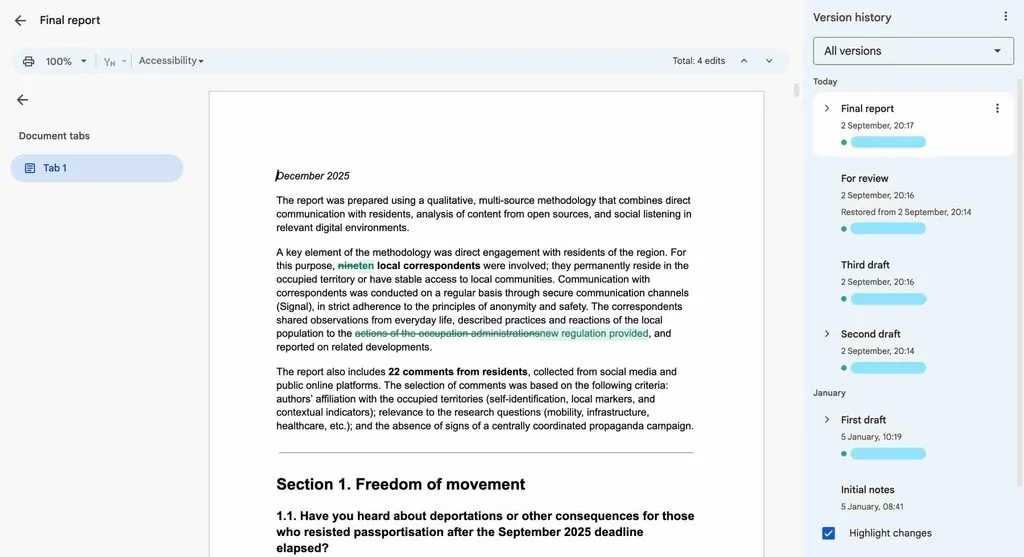
Version history can show how a report developed through drafting and revision rather than only showing the final document.
File metadata and editing time
A .docx file can contain author information, creation and modification times, and editing metadata. A long report with only a few minutes recorded editing time may justify a question.
The catch: exporting from another app, using a template, or moving a document between systems can create the same pattern. Metadata is supporting evidence, not a verdict.
Check Images and Charts for Provenance
Reports increasingly contain AI-generated visuals as well as text. For supported images, provenance tools can provide stronger signals than visual guesswork. OpenAI Verify checks supported files for C2PA Content Credentials and SynthID watermarks. Adobe automatically applies Content Credentials to fully generated Firefly assets, and Gemini can check for SynthID in supported Google AI media.
A detected provenance signal is useful evidence of origin. An absent signal proves nothing: metadata can be stripped, and not every generator uses the same system.
For charts, skip the “does this look AI-generated?” question. Trace the chart back to the spreadsheet or source dataset and confirm that every number exists.
Make AI Checking Part of the Report Workflow
Detection works better when employees know the rules before submission. A simple workflow is: draft the report, check the grammar, revise permitted AI-assisted wording with an AI humanizer when needed, run a final AI check, then disclose AI assistance according to policy.
The point is not to make AI use invisible. It is to give employees the same standards managers will use later and keep the review focused on accuracy, disclosure, and accountability.
FAQ
Can employers legally check for AI in employee reports?
Generally yes, but the rules depend on jurisdiction, monitoring method, privacy requirements, and employment law. Companies should define the process in policy and get legal advice for higher-risk monitoring.
How accurate are AI content detector tools?
Accuracy varies by detector, model, document type, and how much a person edited the text. No AI content detector tool performs equally well on every kind of report. Treat the score as one input.
Why does the tool flag work from non-native English speakers?
Some detectors associate highly predictable wording with generated text. Research has shown this can disadvantage non-native English writing. Review the passage and the work process rather than relying on a percentage.
Can detectors spot AI text rewritten by a humanizer?
Sometimes. Rewriting can change detector signals, so results vary when tools try to detect AI generated writing. A low score after substantial editing does not prove the original text was human-written.
Is there a free way to detect AI generated writing?
Yes. Clever AI Detector runs without sign-up, takes up to 10,000 words per check, and shows sentence-level signals instead of hiding them behind a paywall.
Conclusion
Use AI detection to decide where to look, not whom to blame. A low score does not clear a report if its sources or version history do not make sense, and a high score matters less when the evidence shows a normal drafting process and the employee can explain the analysis. Check the text, then check the work behind it.