
On September 23, 2026, YouTube vice president Aparna Pappu described a platform getting better at helping creators make creative decisions. In YouTube’s official announcement, the company said creators had already run more than 40 million title and thumbnail experiments since testing launched in 2024. It also described dynamic thumbnails for different audience segments and announced video-cut testing as a forthcoming feature.
The scale is striking. It also leaves a small creator with an uncomfortable question: if the platform can generate more options, which decision should the creator make first?
A bigger pile of YouTube thumbnails does not resolve a muddled promise. Before opening another design file, write down what you believe is stopping the right viewer from choosing your video. That sentence gives the next edit a job.
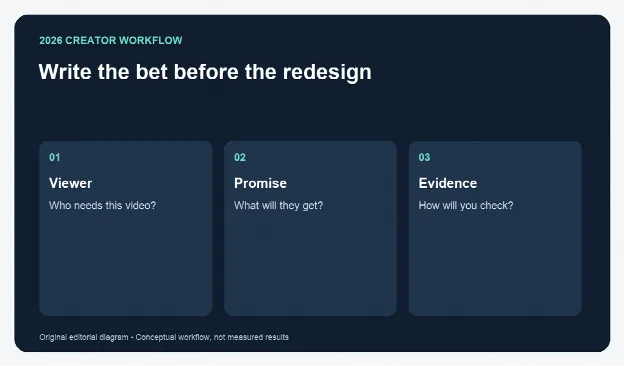
Write the bet before the redesign — original conceptual diagram; no performance data.
Separate the story from the decoration
A YouTube thumbnail and a title are two parts of one invitation. One can establish the situation while the other explains the payoff. If both repeat the same vague claim, the viewer still has to work out whether the video is useful.
Consider a hypothetical bookkeeping tutorial. A thumbnail saying “SAVE MONEY” and a title saying “Amazing Accounting Tips” leave most of the decision unanswered. “Find the Invoice You Forgot to Chase” gives a more specific reason to watch. The image can then show the overlooked invoice rather than adding another slogan.
That is a creative proposal, not evidence that this wording will win. Its value is that you can explain what changed: a broad benefit became a recognizable task. A viewer who does not need that task can pass without being misled.
Write the audience and the promised result on the same line. If the editor and designer describe different videos, pause there. Testing cannot settle a disagreement about what the content actually delivers.
Make one bet you can inspect
A useful hypothesis names a visible obstacle. Perhaps the subject disappears at a small size. Perhaps the image implies a dramatic reveal that the opening never delivers. Perhaps the title attracts beginners while the video assumes professional knowledge.
Choose one of those explanations before changing the design. Changing the subject, text, colors and promise together might produce a better package, but it becomes harder to understand why. For a small team, learning something reusable can matter as much as improving one upload.
A pre-publication review can help catch obvious presentation problems. The SEOtools thumbnail checker offers clarity, contrast, text-density and mobile-preview feedback. Treat its output as a design critique. An AI score does not measure your audience’s actual click-through rate or replace an experiment in YouTube Studio.
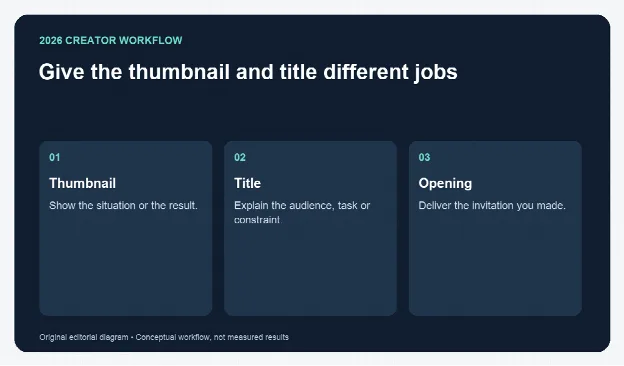
Give the thumbnail and title different jobs — original conceptual diagram; no performance data.
Give the title a different job
If the thumbnail establishes a problem, let the title specify the decision, audience or constraint. For the bookkeeping example, the image might show a missed invoice while the title explains that the process works without changing accounting software.
Generate alternatives around those distinct jobs. SEOquick’s YouTube title generator can help draft options from a topic and target keyword. Edit the suggestions against the finished video. Reject any title that promises a result, speed or level of certainty you cannot show.
Keep a short reason beside each surviving option: this one explains who it is for; this one makes the task concrete; this one removes an objection. “Sounds more exciting” is a weak reason to spend your next afternoon redesigning a video.
Share the package with someone who has not seen the edit. Ask what they expect to learn, rather than whether they like the design. If their expectation is different from the lesson in the video, you have found a useful problem before spending an audience’s attention. Save the feedback in their words, with their permission, so the next discussion does not become a debate about whose taste should win.
Use the experiment the platform actually provides
YouTube’s current help documentation describes testing up to three titles, thumbnails or combinations, with the winning option selected by watch time. It also lists eligibility restrictions. Check those rules in your own Studio account before planning a test; availability and video format matter.
Do not turn a forecast from a third-party tool into a claim that YouTube has validated the package. Likewise, changing a thumbnail and seeing more views the next morning is an observation, not a controlled result. The audience, topic demand and traffic sources may have changed too.
Record a baseline and the exact alternatives. Save the date, the creative reason for each version and the opening the viewer will see after clicking. If someone else picks up the channel next week, they should be able to explain what the test was intended to learn.
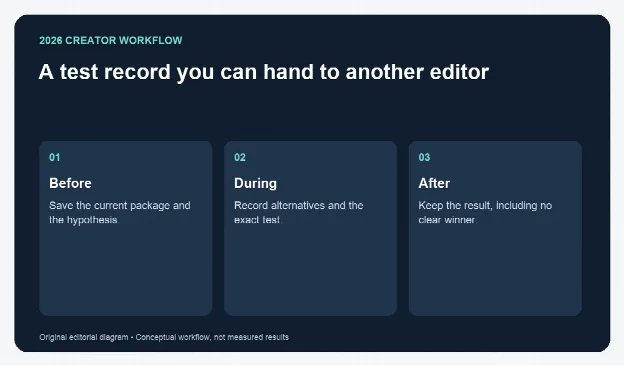
A test record you can hand to another editor — original conceptual diagram; no performance data.
Review the promise after the click
A more clickable package can still attract the wrong audience. Review how the opening pays off the invitation. If the YouTube thumbnail shows a finished result, make that result easy to recognize early. If the title promises a tutorial, do not spend the opening defending why tutorials matter.
Use this compact review before you publish or change an established video:
- Name the viewer and the task the video helps them complete.
- Write one reason the current package may be losing that viewer.
- Check the image at a small size without zooming in.
- Remove any title claim the video cannot demonstrate.
- Save the alternatives and the test result, including an inconclusive result.
When a test does not identify a clear winner, resist inventing a lesson. Keep the result and move on to the next sensible question. Repeated inconclusive tests may be a reason to make alternatives more meaningfully different, but they do not prove that a channel needs louder creative.
Know when to leave a video alone
Not every quiet upload has a packaging problem. A narrow topic may have a small useful audience. A seasonal question may have lost urgency. A video may solve the wrong problem for the people currently finding your channel.
Prioritize videos where the content still serves a clear need and where you can articulate a plausible presentation fault. Leave a record of the decision, including the choice to make no change. That protects a small team from repeatedly polishing the same upload while useful new work waits.
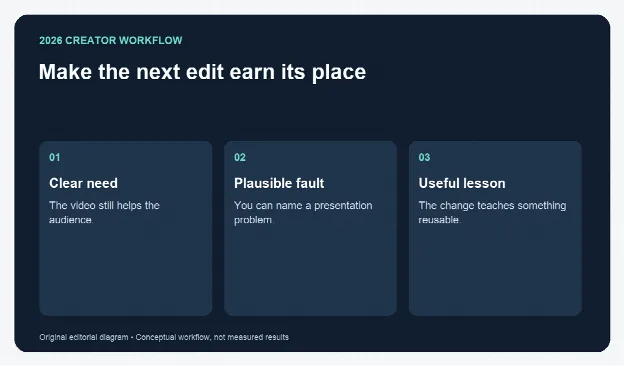
Make the next edit earn its place — original conceptual diagram; no performance data.
YouTube’s 2026 announcements make it easier to produce and compare creative options. The human responsibility remains choosing a promise worth making and checking whether the video keeps it. Open the design file after you have written that promise down.